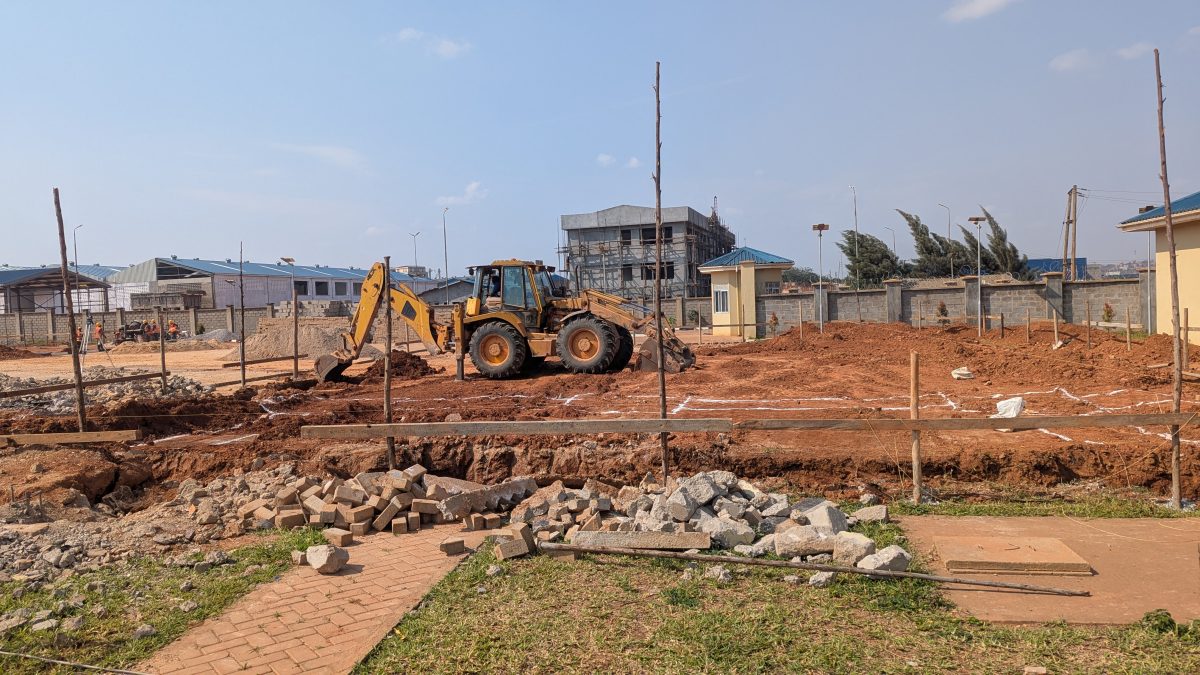
Ask ten people building a house in Nigeria how they keep track of the project and most will give the same answer: WhatsApp for photos and updates, a notebook or an Excel sheet for money, and memory for everything else. That works for a while. Then, somewhere around lintel level, nobody can say how much of the budget is left, how many bags of cement were delivered, or why the roof is two months late.
Keep track of your build from anywhere
Track My Build keeps your spending, stages and site photos in one place, so you can see how the work is going.
Try Track My Build →Construction project management software exists to fix that. It keeps the budget, the schedule, what happens on site and the documents in one place, so the owner, the contractor and the site manager are working from the same record. This guide explains what the software should do on a Nigerian project, how the main options compare, and what to look for before you choose one.
What Is Construction Project Management Software?
It is a tool, usually used on a phone and a computer, that records everything that matters on a building project as it happens:
- Money: the budget, each payment against it, and what is left.
- Time: the stages of work, who is doing what, and whether the job is on schedule.
- The site: daily progress, photos, workers present and materials delivered and used.
- Documents: survey plan, approvals, drawings, contracts and receipts.
- People: who can see and change what. The site manager logs work, the client follows progress, and the owner sees everything.
On large commercial projects the same idea covers far more: procurement, requests for information, change orders and many contractors. A house or a block of flats in Nigeria needs a much smaller set of features, used every day.
Why Nigerian Builds Go Over Budget
Most overruns on Nigerian residential projects are not caused by one big mistake. They come from many small leaks that nobody sees until the money runs out:
- Cash leaves faster than the building rises. Payments for cement, rods and labour go out every week, but the total spent is not compared with the budget for each stage.
- Materials go missing between delivery and use. Two hundred bags arrive for blockwork that needed one hundred and forty, and there is no record to show the gap.
- Ghost workers. The wage list says twelve men; the site had eight.
- Prices change mid-build. A quote from March is not the price in October, and nobody updates the budget.
- The owner is not on site. Many owners live in another city or abroad and only see what WhatsApp shows them.
- The same payment gets recorded twice, or not at all, when several people keep their own notes.
Good software does not stop any of these on its own. What it does is make each one visible early, while it is still cheap to fix.
The Features That Matter on a Nigerian Project
1. Budget against actual spending, in naira
This is the most important feature. The budget should come straight from your estimate or bill of quantities, split by stage: substructure, frame and walls, roofing, finishes, services and external works. Every payment is then recorded against a line, so you can see at any time what each stage was meant to cost, what has been spent and what is left. The software should warn you when a line goes over, not after the whole budget has gone.
It should also cover the costs outside the building itself: land, legal fees and title, survey, soil test, drawings and approvals. On many projects these add up to a large share of the total, and they are easy to forget. If you have not priced your building yet, start with a free cost estimate, because a budget you cannot measure against is not a budget.
2. Recording spending that people will actually do
A spending log only works if it is kept up to date, and nobody wants to type entries at the end of a long day on site. Look for quick ways to record a payment: from a receipt photo, a voice note or a short typed message. Look for warnings when the same payment seems to be entered twice, and the ability to fix a mistake instead of deleting and re-entering it.
3. Stages, tasks and a schedule
A Nigerian build follows a familiar order: site clearance and setting out, foundation, blockwork to DPC, frame and walls, lintel, roofing, services, plastering, finishes and external works. The software should start you with that plan rather than a blank page. A good schedule also allows for the rainy season, public holidays and concrete curing times, and moves later tasks automatically when one runs late. You can try a free construction schedule to see how this works.
4. A daily site diary with photos
A one-line note and a photo every working day is enough. Just as important is recording days when no work happened, and why: rain, a public holiday, waiting for materials. A quiet day with a reason is very different from a day nobody checked.
5. Worker attendance you can verify
Paying for workers who were not there is one of the most common leaks. A check-in with a photo and the phone's location, recorded at the time, is a simple defence. Headcount is then recorded, not remembered.
6. Material deliveries and usage
Log cement, sand, granite, blocks and rods as they arrive and as they are used. Running balances show what should still be on site. If 200 bags were delivered and 160 were used, there should be 40 in the store.
7. Documents in one place
Survey plan, C of O or deed, building approval, architectural and structural drawings, soil test report, contracts and receipts. When a bank, a buyer or a government officer asks for one of them, you should be able to find it in seconds. You should also be able to choose which files your client or site manager can see.
8. Separate views for owner, site manager and client
The owner needs everything. The site manager needs to log work, workers, materials and spending, but may not need to see your profit. The client, or a family member abroad, needs progress and photos, and only sees the budget if you allow it. A short evening email on days with activity keeps everyone informed without a phone call.
9. It must work on a phone, without an app
Your foreman will use whatever is easiest on the phone they already have. If they need to install an app, create an account and remember a password, many will not. A link that opens in the browser is far more likely to be used.
How the Options Compare
| Option | Good at | Weak at |
|---|---|---|
| WhatsApp groups | Photos, quick updates, everyone already uses it | No budget, no totals, history is hard to search, easy to dispute later |
| Notebook | Simple, no data needed | One copy, no photos, nobody else can see it, easily lost |
| Excel or Google Sheets | Flexible budgets and totals | Only as good as the person updating it; no photos, workers or site diary; site managers rarely use it |
| International construction platforms | Very complete, built for large contractors | Priced in US dollars, set up for American and European ways of working, more than a house or small block of flats needs |
| Software built for Nigerian projects | Naira budgets, local materials and stages, works on a phone | Fewer features for very large commercial jobs |
Many people combine tools: WhatsApp for chat, and software for the record. That is fine, as long as the record is kept in one place and not spread across five chats.
Questions to Ask Before You Choose
- Can I use my estimate or BoQ as the budget, or do I have to type it all in?
- Is it priced in naira, without a subscription that renews itself? A build can pause when funding pauses. You should not keep paying for months when nothing is happening.
- Can my site manager use it from a phone browser, without installing anything?
- Can I hide costs from my client if I am the contractor?
- Can I try it on a real project before paying?
- Can I export or print a record at the end, for the final account or a buyer?
How Track My Build Does This
We built Track My Build for Nigerian homeowners, developers and contractors, around the features above:
- Budget from your estimate: choose a saved Estimate or BoQ and its section totals become the budget lines. Land and pre-construction costs have their own section.
- Quick add spending: say it, snap the receipt or type it, check the entries, save. Repeat entries are flagged.
- Cost and profit view: forecast final cost, money needed per month, and, for developers, profit on sale or rent.
- Stages, tasks and a schedule with a Gantt chart that moves when work runs late.
- Site diary, worker check-ins with photo and location, and a materials ledger.
- Documents in folders, with a choice of who sees each file.
- Roles: owner, site manager and client, plus a no-login link for a foreman.
- Calculators that feed the budget: the rebar, concrete, block wall, sand, excavation and labour calculators can save their results straight into your project.
Setting up a project, its budget, plan and documents is free. The 14-day free trial starts only when you record your first entry. After that it costs ₦30,000 once for the whole build (up to two years) or ₦5,000 per 30 days, with no automatic renewal.
Frequently Asked Questions
What is the best construction management software in Nigeria?
The best one is the one your team will actually use every day. For a house, a duplex or a block of flats, look for naira budgets taken from your estimate, quick spending entry, a site diary with photos and a simple view for your client. Large international platforms are built for big commercial contractors and are usually more than a residential build needs.
Is there free construction project management software?
Excel, Google Sheets and WhatsApp are free but do not join the budget, the site and the documents together. Track My Build is free to set up, with a 14-day free trial once you start recording, and a one-off ₦30,000 for the whole build after that.
Can I manage my building project from abroad with software?
Yes. Your site manager records progress, photos, workers and spending, and you follow it from your dashboard or the evening email. Read our guide on how to monitor a building project in Nigeria remotely.
Do I need a quantity surveyor if I use software?
Software records and organises your figures. It does not replace professional judgement on quantities, valuations or structural questions. On larger projects, a QS or project manager working with good records is the best combination.
Will my site manager need a smartphone?
For photos and check-ins, yes, but any recent Android phone with a browser is enough. Nothing needs to be installed.
Run Your Build From One Place
Track My Build is construction project management software made for Nigerian builds: your estimate becomes the budget, every payment is recorded against it, and your site manager and client each see what they need. Setting up a project is free, and the 14-day trial only starts when you record your first entry.
See Track My Build →